

What Are Food Safety Software Solutions and Why Are They Essential?
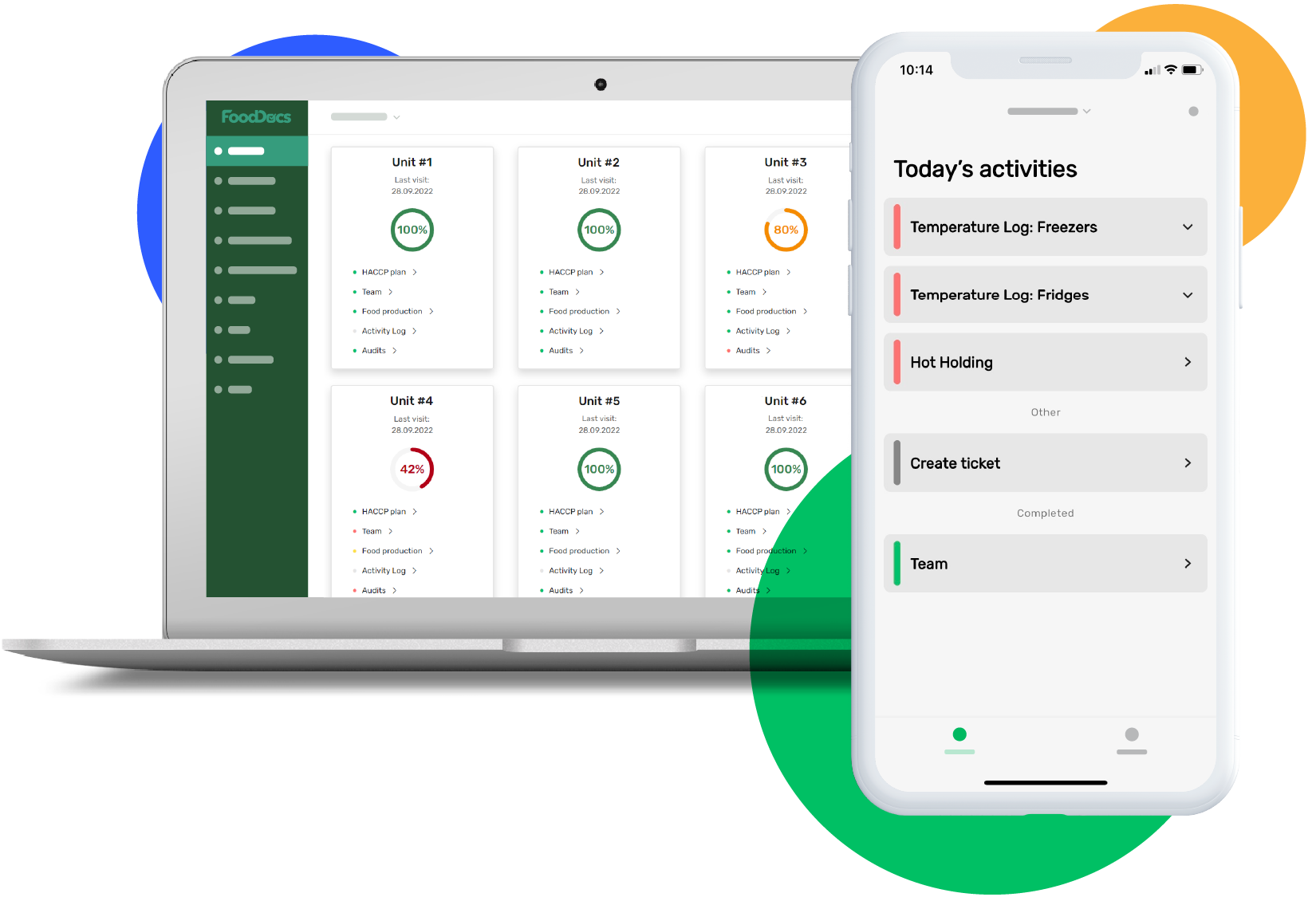
Food safety software solutions are digital platforms that help food businesses maintain regulatory compliance and optimize operational efficiency. These tools replace traditional paper-based systems with automated workflows, real-time monitoring capabilities, and centralized documentation management.
The food industry faces increasingly complex regulatory requirements from agencies like the FDA, USDA, and local health departments. Manual compliance tracking creates opportunities for human error, lost documentation, and inconsistent record-keeping. Digital food safety software solutions addresses these challenges by providing structured frameworks that guide businesses through every compliance requirement while maintaining accurate, accessible records.
Core Processes Managed by Food Safety Software
1. HACCP Plan Development and Management
Food safety software automates the creation and maintenance of Hazard Analysis Critical Control Point (HACCP) plans. The software guides users through identifying biological, chemical, and physical hazards, establishing critical control points, and setting monitoring procedures. This automation reduces the time required to develop compliant HACCP plans from weeks to hours while ensuring all regulatory elements are properly addressed.
2. Traceability and Supply Chain Tracking
Modern food safety platforms track ingredients and products throughout the entire supply chain. When a potential contamination issue arises, businesses can immediately identify affected batches, trace them to specific suppliers, and determine which customers received the products. This capability transforms recall responses from multi-day investigations into hours-long processes.
3. Audit and Inspection Management
Digital audit tools standardize inspection processes across multiple locations. Customizable checklists ensure staff members check every critical control point consistently. The software timestamps each inspection, captures photographic evidence, and flags non-conformances automatically. When regulatory auditors arrive, businesses can instantly retrieve months or years of organized documentation.
4. Temperature Monitoring and Critical Control Points
Real-time monitoring systems track refrigeration units, cooking temperatures, and holding times. Sensors connect directly to the software, creating automatic logs without manual data entry. When temperatures drift outside safe ranges, the system sends immediate alerts to responsible staff members, preventing potential food safety incidents before they occur.
Why Food Safety Software Has Become Essential
1. Risk Reduction Through Systematic Controls
Foodborne illness outbreaks damage brand reputation, trigger costly recalls, and expose businesses to legal liability. Software solutions create consistent safety protocols that reduce contamination risks.
2. Operational Efficiency Through Automation
Manual processes are often time-consuming and prone to errors. By automating tasks such as documentation management and data entry, food safety software frees up valuable time for employees to focus on core activities.
3. Improved Decision-Making Through Data Insights
Digital platforms generate vast amounts of data related to compliance activities, audits, inspections, etc., which can be analyzed for insights into performance trends or areas needing improvement.
4. Enhanced Customer Trust Through Transparency
Consumers increasingly demand transparency in food production practices; demonstrating adherence to safety standards via digital certifications or reports can enhance brand trustworthiness.
In summary: Food safety software solutions have become essential tools for modern food businesses seeking to navigate complex regulations efficiently while minimizing risks associated with non-compliance or unsafe practices.
What Key Features Should Businesses Look for in Food Safety Software?
The right key features food safety software can transform compliance from a burden into a competitive advantage. Selecting a solution requires understanding which capabilities directly address your operational challenges and regulatory requirements.
Automated HACCP Plan Creation
HACCP plan automation eliminates the time-consuming process of building food safety plans from scratch. Modern software uses intelligent templates and guided workflows to generate compliant plans in hours rather than weeks, automatically incorporating industry-specific hazards and critical control points based on your operations.
The automation reduces human error by ensuring all required elements appear in the correct format. Staff can focus on implementing controls instead of wrestling with documentation, while updates to regulatory requirements flow automatically into existing plans. Small businesses particularly benefit from this feature, gaining access to expertise that might otherwise require expensive consultants.
Real-Time Monitoring Capabilities
Real-time monitoring transforms static record-keeping into dynamic risk prevention. Digital sensors and connected devices automatically log temperature readings, humidity levels, and other critical controls, alerting managers immediately when parameters drift outside acceptable ranges.
This capability prevents minor deviations from becoming major incidents. A refrigeration unit showing early signs of failure triggers notifications before products spoil, allowing corrective action within minutes. The continuous data stream creates an audit trail that demonstrates due diligence, while eliminating the gaps and inconsistencies common in manual logging systems.
Key monitoring features include:
- Automated alerts for out-of-range conditions
- Mobile notifications to responsible staff members
- Integration with IoT sensors and equipment
- Customizable threshold settings for different products
- Historical trend analysis for predictive maintenance
Comprehensive Traceability Systems
Traceability systems track ingredients and products through every stage of the supply chain, from receiving raw materials to final distribution. Effective traceability management software creates digital connections between lot numbers, supplier information, production batches, and customer shipments.
During a recall situation, these systems identify affected products within minutes instead of days. Businesses can pinpoint exactly which customers received specific lots, limiting the scope of recalls and protecting brand reputation. The same data helps identify contamination sources, preventing repeat incidents through targeted corrective actions.
Customizable Checklists and Audit Templates
Generic checklists rarely match the specific workflows of individual operations. Customizable templates allow businesses
How Do Different Food Safety Software Solutions Compare by Business Size and Industry?
The right food safety software depends heavily on your business scale and sector. Small bakeries need different tools than multinational meat processors, and choosing a solution mismatched to your operations wastes resources and creates unnecessary complexity.
Best Software for Small Business Operations
FoodDocs stands out for small to medium-sized businesses seeking straightforward compliance without overwhelming features. The platform uses AI-powered technology to generate HACCP plans in minutes rather than weeks, eliminating the need for expensive consultants. Small restaurants and cafes benefit from its mobile-friendly interface that allows staff to log temperature checks and cleaning tasks directly from their phones. The automated monitoring system sends alerts when tasks are overdue, preventing gaps in food safety protocols.
SafetyCulture targets hospitality and food service businesses with its inspection-focused approach. Coffee shops, quick-service restaurants, and catering companies use its customizable checklists to standardize opening and closing procedures across multiple shifts. The incident reporting feature helps managers document and address food safety issues immediately, creating a digital paper trail that proves invaluable during health inspections.
Enterprise Food Safety Solutions for Large Operations
Safefood 360 serves medium to large enterprises managing complex compliance requirements across multiple facilities. Food manufacturers processing thousands of SKUs rely on its supplier management module to track certifications, audit results, and quality metrics for hundreds of vendors. The automated reminder system ensures critical tasks like equipment calibration and staff retraining never slip through the cracks, even in facilities operating 24/7 production schedules.
SafetyChain specializes in manufacturing environments where production data integration matters most. Large-scale processors use its data analytics capabilities to identify patterns in quality deviations, linking production line performance to specific batches and suppliers. The CAPA management system tracks corrective actions from identification through verification, satisfying GFSI audit requirements that demand documented continuous improvement.
Versatile Solutions Across Business Sizes
FoodReady adapts to businesses ranging from single-location startups to growing regional chains. Its drag-and-drop HACCP builder allows companies to start simple and add complexity as they scale. A local butcher shop might begin with basic temperature logging, then add supplier traceability as they expand distribution
What Benefits Can Businesses Expect from Implementing Food Safety Software?
Digital food safety solutions deliver measurable improvements across compliance, operations, and risk management. The benefits of food safety software extend beyond simple digitization—they transform how food businesses approach safety protocols and regulatory requirements.
How Does Automated Compliance Reduce Regulatory Risk?
Automated workflows eliminate the guesswork from regulatory compliance by building food safety requirements directly into daily operations. The software sends scheduled reminders for critical tasks like temperature checks, sanitation procedures, and equipment calibration, ensuring nothing falls through the cracks. When regulations change, updates cascade through the system automatically, keeping HACCP plans and monitoring procedures current without manual revision. This systematic approach reduces non-compliance incidents by up to 60% according to industry studies, protecting businesses from costly violations and potential shutdowns.
Why Is Enhanced Traceability Critical for Recall Management?
Improved traceability capabilities transform recall situations from chaotic emergencies into managed responses. Modern food safety software tracks ingredients from supplier to finished product, creating digital chains of custody that can be searched in seconds rather than hours. When contamination issues arise, businesses can identify affected batches, locate products in the supply chain using food traceability software, and notify customers within minutes. This rapid response capability limits recall scope, reduces waste, and protects brand reputation during critical incidents.
What Operational Efficiency Gains Can Teams Expect?
Operational efficiency food safety improvements manifest through reduced administrative burden and streamlined workflows. Digital checklists replace clipboards and paper forms, cutting documentation time by 40-50% while improving accuracy. Staff members complete monitoring tasks on mobile devices, automatically timestamping entries and flagging deviations from critical limits. The system consolidates data from multiple locations into centralized dashboards, giving managers real-time visibility without collecting physical records. Teams redirect time previously spent on paperwork toward value-adding activities like staff training and process improvements.
Key efficiency improvements include:
- Elimination of duplicate data entry across multiple systems
- Automatic calculation of corrective actions based on deviation patterns
- Instant access to historical records without searching filing cabinets
- Reduced time spent preparing for audits and inspections
How Does Digital Documentation Improve Audit Preparedness?
Audit preparedness reaches new levels when documentation lives in organized digital systems rather than scattered paper files.
How Can Businesses Evaluate Which Food Safety Software Is the Best Fit?
Choosing food safety software begins with a thorough assessment of your organization’s unique characteristics and operational demands. The right solution aligns perfectly with your business size, industry-specific requirements, and compliance challenges rather than offering generic features that don’t address your actual needs.
Why Does Business Size Matter When Evaluating Software Solutions?
Small operations with limited staff require intuitive, straightforward platforms that don’t demand extensive training or IT resources. A bakery with ten employees needs different functionality than a multi-facility meat processing plant with hundreds of workers across various locations.
Medium-sized businesses often face the challenge of managing growth while maintaining compliance standards. These organizations benefit from solutions offering both immediate usability and room for expansion. Large enterprises typically need robust systems capable of handling complex supply chains, multiple regulatory frameworks, and extensive documentation requirements across numerous sites.
What Industry-Specific Requirements Should Guide Your Selection?
Manufacturing facilities prioritize supplier management and batch tracking capabilities to maintain production integrity. Restaurant chains focus heavily on temperature monitoring and staff training modules to ensure consistency across locations. Food distribution companies require advanced traceability features that track products through every stage of the supply chain.
Regulatory requirements vary significantly by industry sector. Meat processors must comply with USDA standards, while seafood operations follow FDA guidelines. Evaluating software solutions means verifying that the platform addresses your specific regulatory framework without unnecessary features that add complexity and cost.
How Do Free Trials Reveal the True Value of Software?
Testing platforms through hands-on experience provides insights no sales presentation can match. Free trials food safety software options allow your team to explore the actual user interface, test critical workflows, and identify potential friction points before committing financially.
During trial periods, assign real tasks to staff members who will use the system daily. Have line workers complete digital checklists, ask managers to generate reports, and test mobile functionality in actual production environments. This practical approach reveals whether the software genuinely simplifies operations or creates additional burdens.
Key aspects to evaluate during trials include:
- Navigation intuitiveness – Can staff find features without extensive searching?
- Mobile responsiveness – Does the system work seamlessly on tablets and smartphones?
- Customization flexibility – How easily can you adapt templates to your processes?
What Are Best Practices for Implementing Food Safety Software Successfully?
Implementing food safety software requires strategic planning and execution to maximize adoption and effectiveness. Success depends on combining technical setup with human factors like training and change management to ensure teams embrace rather than resist new digital tools.
How Critical Is Staff Training to Implementation Success?
Staff training food safety tech forms the foundation of successful software adoption. Teams need hands-on instruction covering daily tasks like logging temperature checks, completing digital checklists, and accessing HACCP plans through the new system.
Training should occur in phases rather than single sessions:
- Initial onboarding covering basic navigation and core features
- Role-specific training tailored to different positions (line workers vs. quality managers)
- Ongoing refresher sessions addressing questions and advanced features
- Documentation resources like quick-reference guides and video tutorials
The most effective training uses real scenarios from your operation. Instead of generic examples, walk through actual workflows employees will perform daily. This practical approach builds confidence and reduces resistance to change.
What Role Do Automated Workflows Play in Implementation?
Setting up automated workflows aligned with internal processes eliminates redundant manual work and ensures consistency. Map your current food safety procedures before configuration to identify which tasks benefit most from automation.
Priority workflows to automate include:
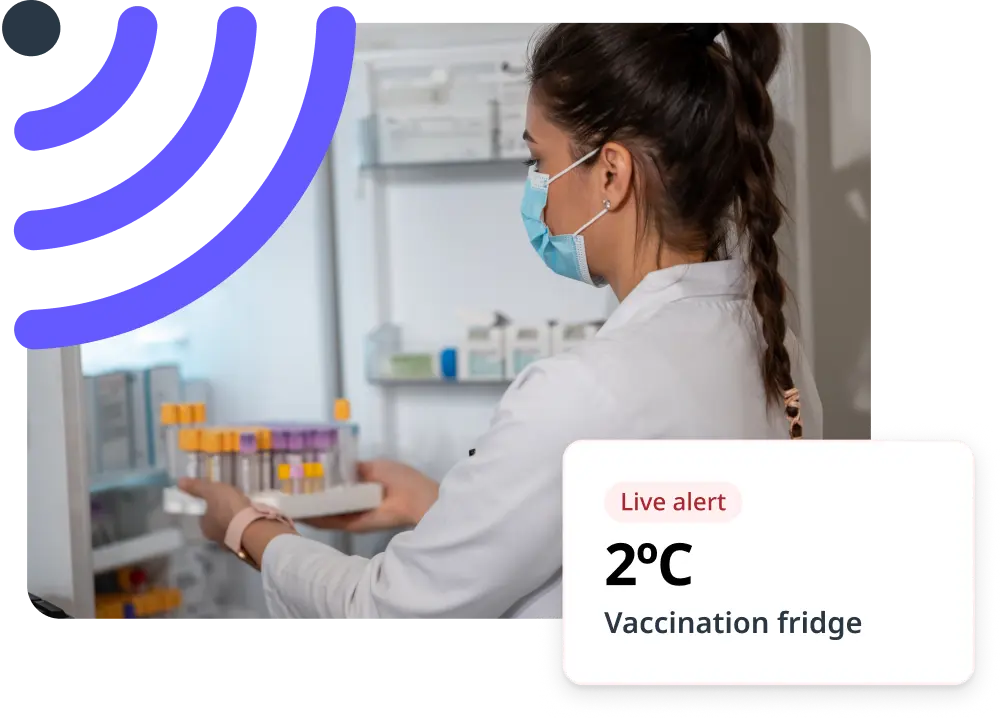
- Temperature monitoring alerts when readings fall outside acceptable ranges
- Scheduled reminders for routine cleaning and sanitation tasks
- Automatic notifications to supervisors when corrective actions are needed
- Digital approval chains for HACCP plan modifications
Configure these workflows to mirror existing responsibilities rather than forcing teams to adapt to rigid software structures. Customization ensures the technology supports your operation instead of disrupting it.
Why Are Regular Updates and Version Control Essential?
Maintaining regular updates and version control protects data integrity and ensures compliance documentation remains current. Food safety regulations evolve, and software updates often include new compliance features or security enhancements.
Establish a protocol for:
- Scheduled software updates during low-activity periods to minimize disruption
- Version control systems that track changes to HACCP plans and procedures
- Backup procedures ensuring data recovery if technical issues occur
- Change logs documenting what was modified and when
Version control proves particularly valuable during audits when inspectors request historical records
Click here: Future-Proof Your Brand with AI-Focused Geo and AEO Strategies